Audio Freezer
Keep your DAC at its best sample rate — automatically.
A small macOS menu-bar app for USB DACs. It keeps your DAC at the sample rate you choose and puts it back the moment macOS resets it, plays each Apple Music track at its own rate, and shows what actually reaches your DAC.
Highlights
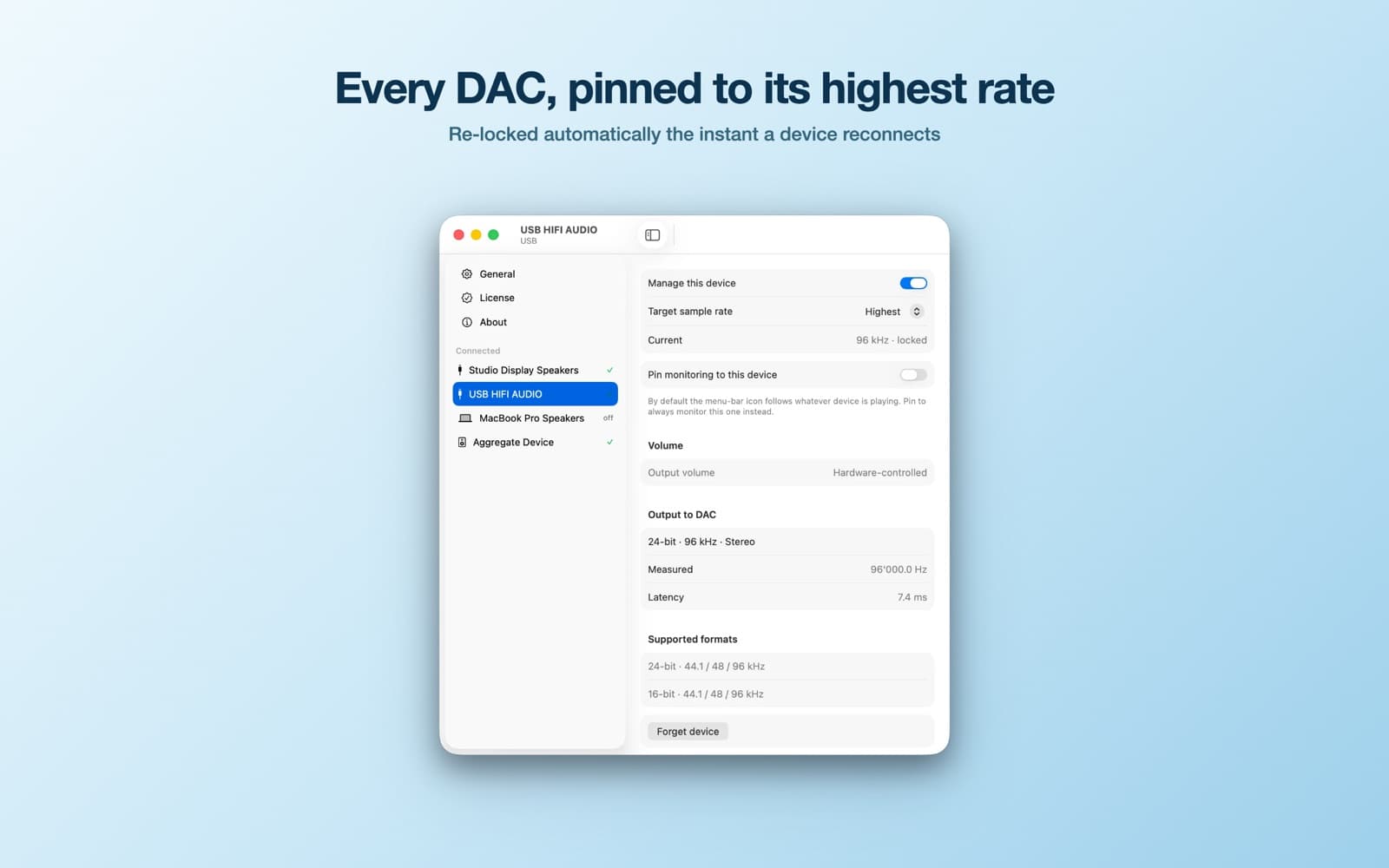
- Locks each device to its highest rate, or a rate you pin, and re-applies it on reconnect or wake
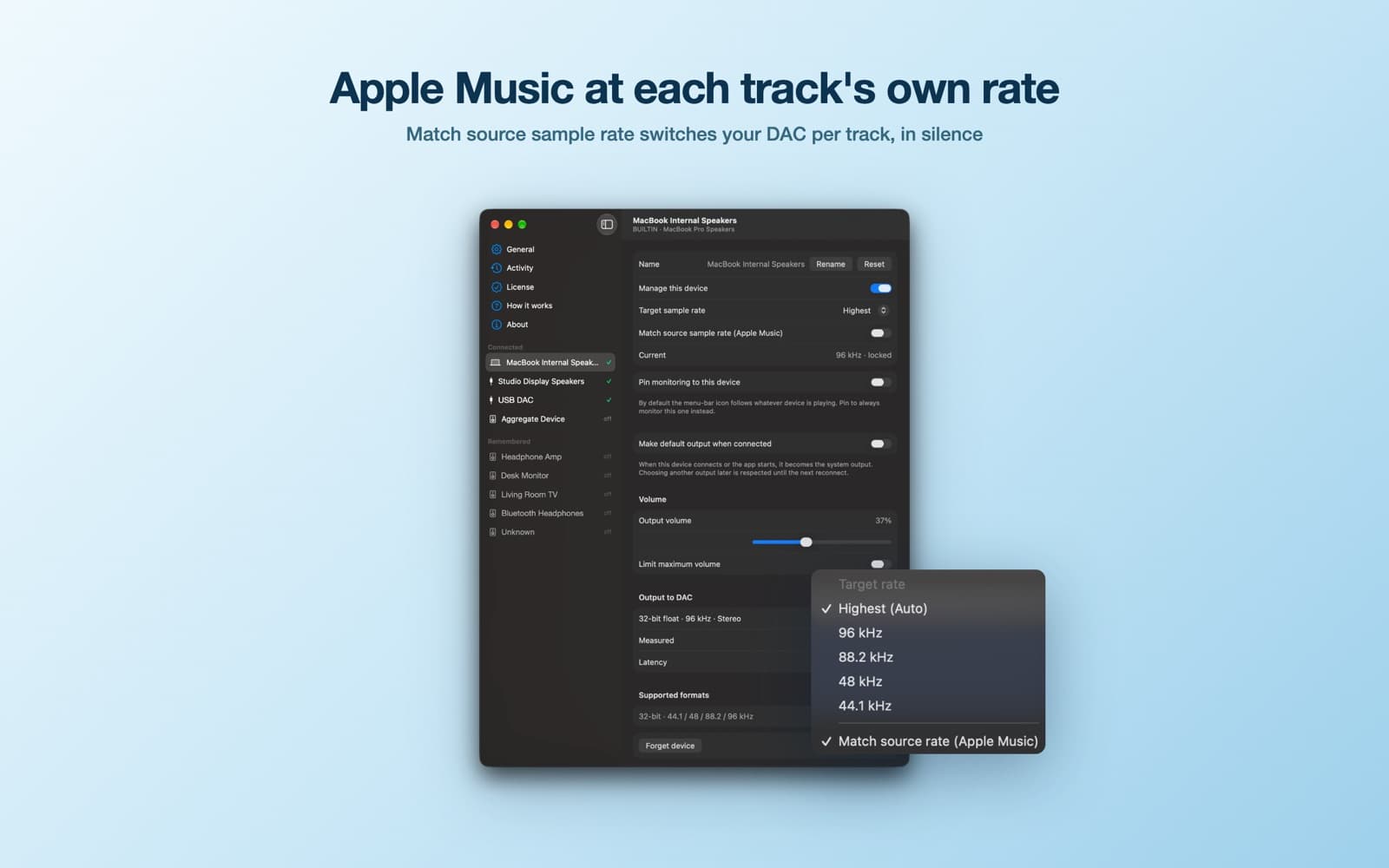
- Plays each Apple Music track at its own sample rate, switching the DAC in silence
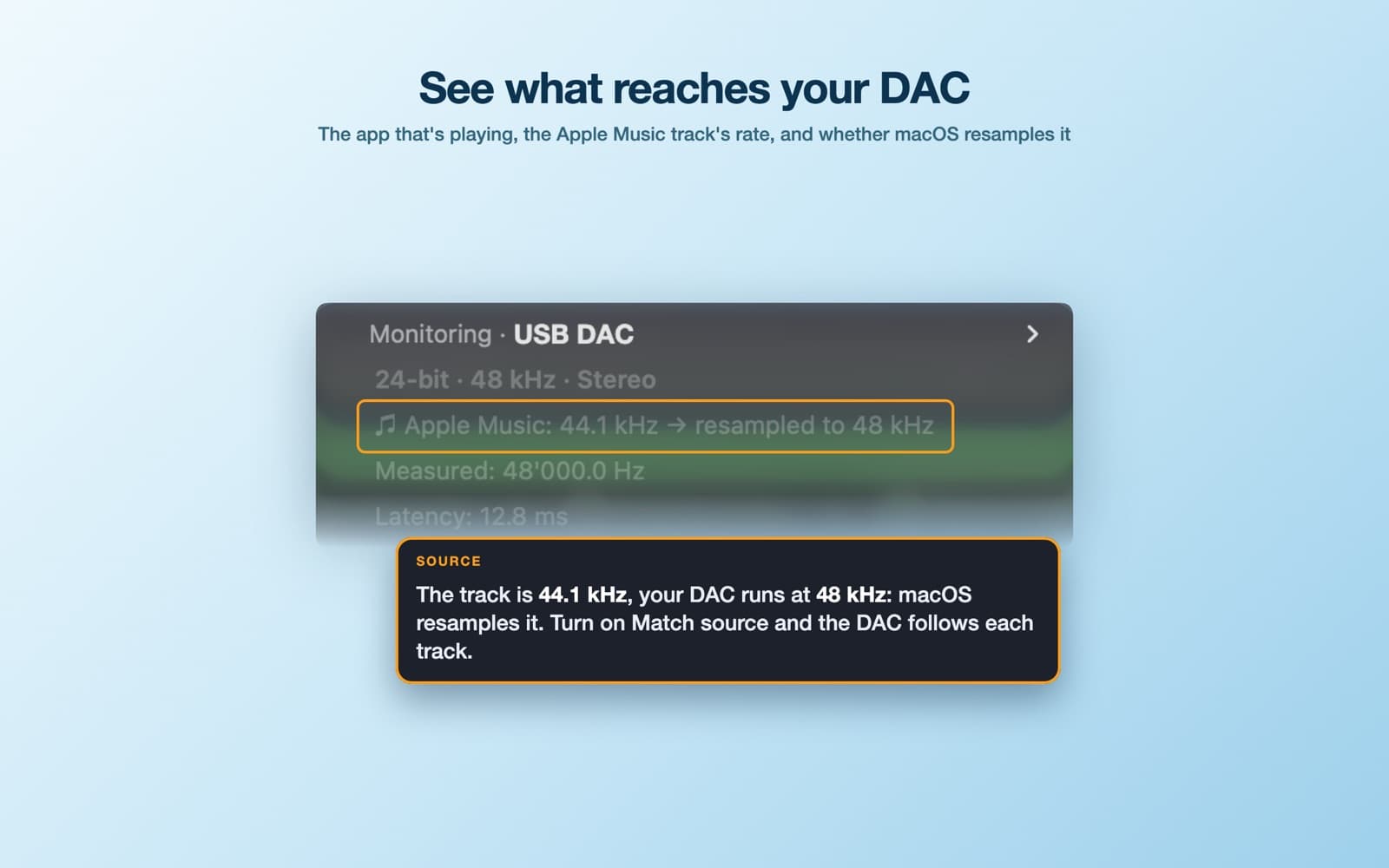
- Shows what reaches your DAC: the app playing, the track's rate, and whether macOS resamples it
- Steps aside for players that set the rate themselves or use exclusive mode
- Activity log, remembered volume with an optional limit, preferred output on connect
- Menu-bar only, event-driven and fully sandboxed; nothing leaves your Mac
My Mac keeps resetting my DAC to 44.1 kHz
macOS doesn't reliably remember a USB DAC's sample rate. When the DAC powers up, reconnects, or the Mac wakes, Core Audio drops it back to a default such as 44.1 or 48 kHz, and Audio MIDI Setup has no "always use this rate" option. Audio Freezer watches your devices and puts the rate back the instant it changes: the highest rate the DAC supports, or one you pin.
Apple Music doesn't switch the sample rate on Mac
On the Mac, Apple Music plays every track at whatever rate the output is set to, so a 96 kHz Hi-Res track on a DAC set to 44.1 kHz is resampled, and so is a 44.1 kHz track on a DAC set to 96 kHz. Turn on "Match source sample rate" for your DAC and each Apple Music track plays at its own rate, or the closest one the DAC supports. When the rate changes, Music pauses for a moment so the DAC re-locks in silence, and the track starts from the beginning: no click mid-song, no cut-off intro.
Is my music being resampled?
The menu shows the format reaching your DAC and, under it, where the sound comes from. For Apple Music it adds the track's rate and whether it reaches the DAC unchanged ("same rate, no resampling") or converted by macOS. When your DAC can't play the track's rate, the menu bar shows it next to the DAC's.
Which app changed my DAC's rate?
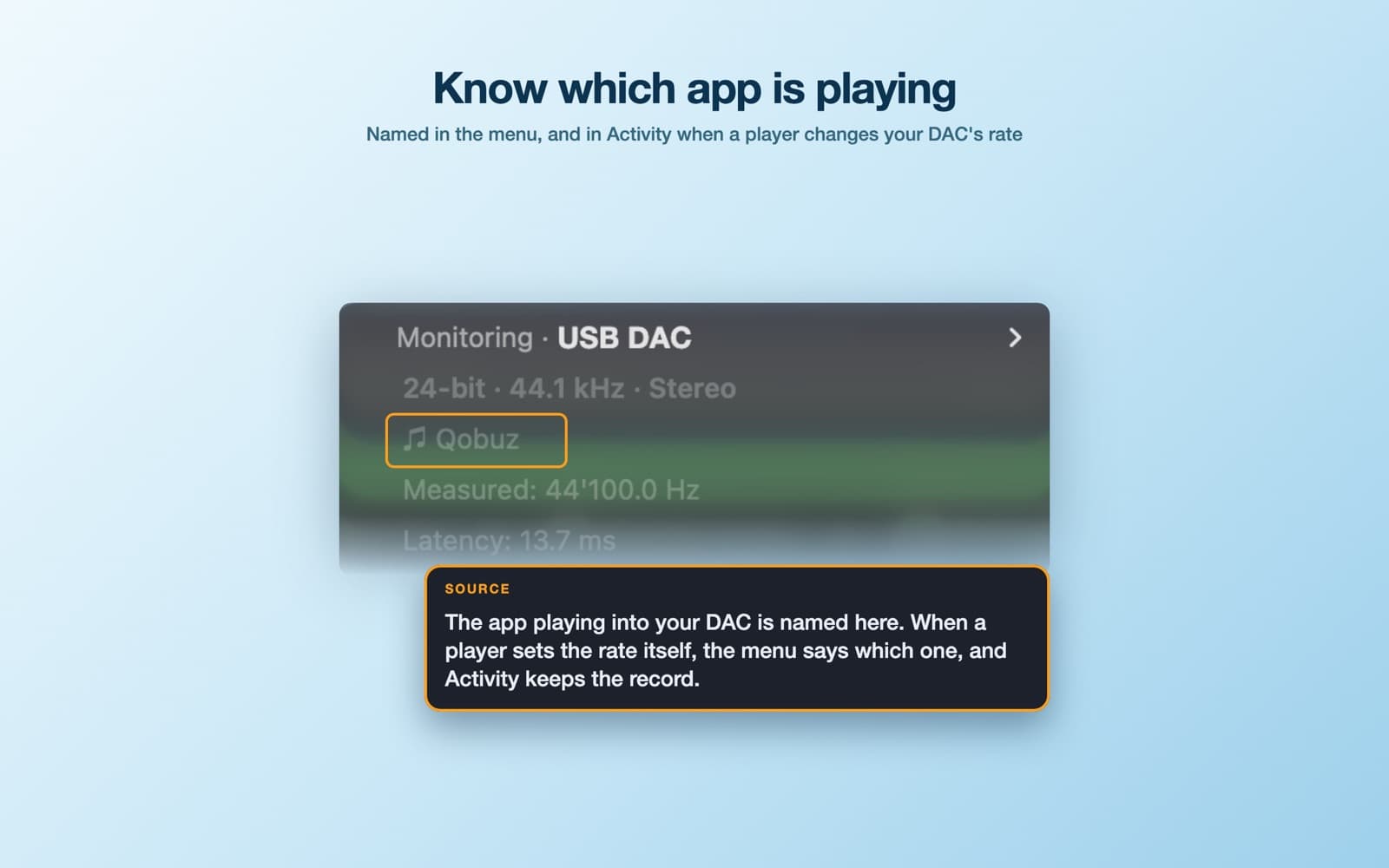
On macOS 14 or later the menu names the app playing into your DAC. When a player sets the rate itself, Audio Freezer lets it, says which player did it, and records it in Activity, so a rate you didn't choose always has an explanation.
Is it bit-perfect?
Audio Freezer isn't in the audio path, so it can't add or remove anything. Matching the DAC to the track's rate removes resampling, but Apple Music still plays through the macOS mixer. For strictly bit-perfect playback use a player with an exclusive mode; Audio Freezer steps aside while it holds the DAC.
Free to try
Download it free with a 7-day trial; a one-time purchase keeps it working after that. No account, no subscription, no data collection.